ASCII & Character Encoding Fundamentals
What is ASCII?
ASCII (American Standard Code for Information Interchange) is a 7-bit character encoding standard that has been the foundation of text in computing since 1963. It assigns a unique integer from 0 to 127 to 128 characters: the uppercase and lowercase English alphabet, the digits 0–9, common punctuation, and 33 non-printable control codes that were originally used to control teleprinters.
Every ASCII character therefore fits in a single 7-bit value, and most of the time we
store that value in a single 8-bit byte with the high bit set to zero. That is why ASCII
maps cleanly to hex: each character is exactly one byte, and each byte is exactly two
hex digits. The string "Hi", for example, is two bytes:
0x48 (H) followed by 0x69 (i), which together form the hex
string 4869.
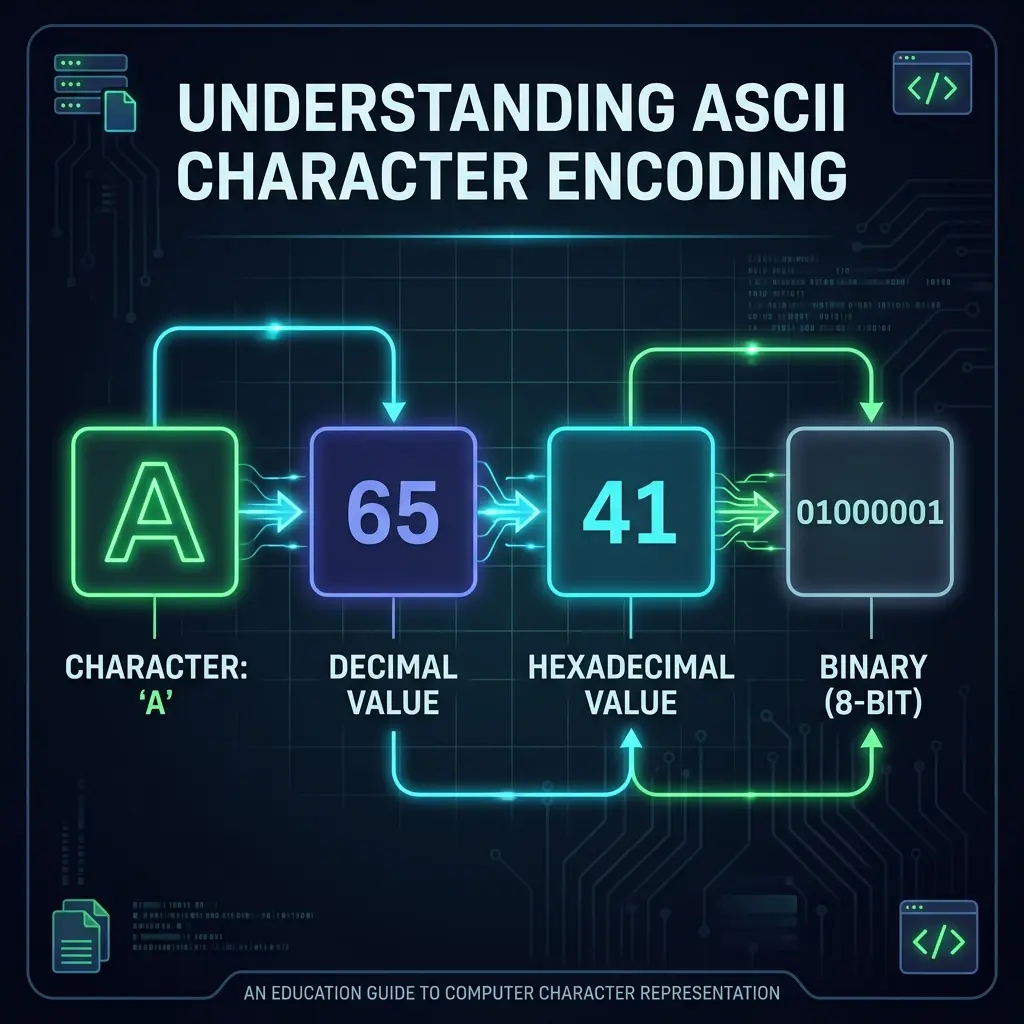
Character 'A' representation: from human readable to machine level
Why ASCII matters even in 2026
Modern systems almost universally use UTF-8 for text, but the first 128 code points of Unicode are byte-for-byte identical to ASCII. That means a well-formed ASCII file is automatically a well-formed UTF-8 file, which is why ASCII has refused to die for over 60 years. If you are decoding hex that came from a log file, a config file, a network packet, or a piece of embedded firmware, the first 128 bytes you encounter are almost always going to decode as ASCII without any special handling.
The ASCII to Hex Conversion Table
The table below shows the most commonly referenced characters and their decimal,
hexadecimal, and binary representations. Printable ASCII characters are in the range
0x20 (space) through 0x7E (tilde, ~). Values below 0x20 are non-printable
control codes; 0x7F is the delete control code.
| Char | Decimal | Hex | Binary | Char | Decimal | Hex | Binary |
|---|---|---|---|---|---|---|---|
| (space) | 32 | 20 | 00100000 | @ | 64 | 40 | 01000000 |
| ! | 33 | 21 | 00100001 | A | 65 | 41 | 01000001 |
| " | 34 | 22 | 00100010 | B | 66 | 42 | 01000010 |
| # | 35 | 23 | 00100011 | C | 67 | 43 | 01000011 |
| $ | 36 | 24 | 00100100 | a | 97 | 61 | 01100001 |
| 0 | 48 | 30 | 00110000 | b | 98 | 62 | 01100010 |
| 1 | 49 | 31 | 00110001 | z | 122 | 7A | 01111010 |
| 9 | 57 | 39 | 00111001 | ~ | 126 | 7E | 01111110 |
A complete printable-ASCII table covers 95 characters. You can browse all 95 entries interactively in our Common Hex Values reference page.
From Text to Hex: A Worked Example
Encoding "Hello" into hex is the canonical first example for a reason.
Every step is small enough to verify by hand. Each character has an ASCII value, that
value can be written in hex, and the resulting two-digit codes are concatenated.
Input:     H        e        l        l        o
ASCII:     72       101      108      108      111
Hex:       48       65       6C       6C       6F
Output:    48 65 6C 6C 6F
Notice that lowercase l and the digit 1 have very different
hex codes (0x6C versus 0x31). When you are reading hex by eye, lowercase L (0x6C) and
the digit one (0x31) are easy to confuse in fonts where they look similar, a common
source of decoding bugs. When in doubt, paste the string into a hex decoder to confirm.
Understanding UTF-8 Encoding
UTF-8 is a variable-width encoding that uses one to four bytes per code point. Its first 128 code points (U+0000 to U+007F) are encoded as a single byte that exactly matches ASCII. Code points U+0080 to U+07FF use two bytes, U+0800 to U+FFFF use three bytes, and U+10000 to U+10FFFF use four bytes.
This is why UTF-8 is the default encoding on the modern web and in most file formats: it is byte-compatible with ASCII, it is self-synchronising (you can find a character boundary from any byte by scanning at most three bytes forward), and it is compact for Latin-script languages while still being able to encode every Unicode code point.
UTF-8 byte examples
Character  Code point  UTF-8 bytes  Hex string
A          U+0041      41           41
©          U+00A9      C2 A9        C2A9
你          U+4F60      E4 BD A0     E4BDA0
😀         U+1F600     F0 9F 98 80  F09F9880
When you paste a multi-byte UTF-8 string into a hex decoder, you will see more than two
hex digits per character. The most common confusion is treating every two hex digits as
one character: that is only correct for single-byte (ASCII) input. A simple rule of
thumb is that the first byte tells you how many bytes to read. Values starting with
0 are one byte, 110 starts a two-byte sequence,
1110 starts a three-byte sequence, and 11110 starts a
four-byte sequence.
Decoding Hex to Text in Real Languages
If you would rather not eyeball the table, every mainstream language has a one-liner. A few of the most common are below; pick the one that matches your stack.
JavaScript (browser and Node.js)
// Browser / modern Node.js
const hex = "48656C6C6F";
const bytes = new Uint8Array(
  hex.match(/.{1,2}/g).map(b => parseInt(b, 16))
);
const text = new TextDecoder('utf-8').decode(bytes);
// text === "Hello"
Python
hex_string = "48656C6C6F"
text = bytes.fromhex(hex_string).decode("utf-8")
# text == "Hello"
Bash (Linux and macOS)
echo -n "48656C6C6F" | xxd -r -p
# prints: Hello
PowerShell (Windows)
[byte[]]$bytes = for ($i=0; $i -lt $hex.Length; $i+=2) {
    [Convert]::ToByte($hex.Substring($i, 2), 16)
}
[System.Text.Encoding]::UTF8.GetString($bytes)
When the input is genuinely ASCII, any of these will produce the same output. The differences only show up when the input contains non-ASCII bytes, in which case you need to make sure the decoder is using UTF-8 (or whichever encoding the producer used) rather than a locale-specific default.
Common Encoding Pitfalls
Most hex decoding bugs are encoding bugs in disguise. Three pitfalls account for the majority of the ones we have hit in production.
- Treating every two hex digits as one character. This works for pure ASCII and breaks on the first non-ASCII byte. If you are writing a decoder, count code points, not bytes.
- Decoding with the wrong character set. The Windows-1252 encoding and UTF-8 diverge for code points above 0x7F. If you see strange replacement characters or mojibake (é instead of é), this is almost always the cause.
-
Stripping leading zeros.
0x41(the letter A) and0x041(which is not a valid hex number) are easy to confuse when reading from a poorly-formatted log line. Always preserve pair boundaries.
Practical Applications of ASCII in Hex
ASCII encoded as hex shows up in many real-world contexts. Some of the most common are listed below.
-
URL encoding. Special characters in URLs are percent-encoded, which
is itself a hex format:
%20for space,%26for ampersand,%3Dfor equals. -
HTML numeric entities. Characters like
&can be written as&in HTML, which is the hex code point 0x26, or 0x26 in hex (38 in decimal). -
Programming language string literals. Many languages support hex
escapes in string literals:
"\x41"in C, Python, and JavaScript all mean the character A. - Data storage and transport. Binary data is often serialised as hex for human-readable logs and config files, because hex is unambiguous and survives most text-processing pipelines intact.
-
File signatures ("magic numbers"). The first few bytes of a file
identify its type. For example, a PNG file always starts with the hex bytes
89 50 4E 47 0D 0A 1A 0A, which include the ASCII text "PNG" in the middle. - HTTP headers and protocol constants. The HTTP/1.1 spec defines request and response headers in ASCII; debugging a malformed response often means reading the raw bytes in hex.
Try It Yourself
The fastest way to internalise this is to decode something you actually care about. Pick a hex string you have lying around (a token, a checksum, a log fragment) and run it through the hex decoder on the homepage. Pay attention to the byte boundaries and the resulting text. Once you have done it a few times, the conversion from "I see hex" to "I see characters" becomes automatic.
For more on the number system side of hex, see our binary to hex conversion guide. For the kind of real-time work this enables, the hex calculator guide is the natural next stop.
Paste a hex string and see the ASCII result:
Open Hex Decoder →Try the Free HexDecoder Tool
Put what you learned into practice. Use our free hex decoder and encoder to convert hexadecimal to text, ASCII, binary, and more instantly in your browser. No registration or upload required.
Open HexDecoder